In this guide
I thought some towns in Transport Fever 3 didn’t need food. I’d missed the little demand icon beside the town’s name. In Woodbridge, that icon meant meat. The planks beside it were a separate delivery job.
Start with the food your town actually requests. Vegetables and fish can go directly from their producer to a commercial district that accepts them. Meat needs a grain delivery to the livestock farm first. 1
This guide covers a basic food route in Free Game. Check your own map and town demand before choosing a chain; sources and needs vary as towns develop.
The Woodbridge story is from my earlier save. The delivery clips and town supply screenshots below come from a new game, recorded after that save was overwritten.
Read the food icon
Select the town and open the Supplies tab. Check the exact food type, then use the cargo statistics to see potential suppliers and deliveries over the previous 365 days. 2
If the town asks for meat, a nearby vegetable farm won’t satisfy that request. Keep the industrial demand, such as Woodbridge’s planks, separate from the food route.
Compare with Dinuba: 0% meat supply
Both town panels were captured on the in-game date March 23, 1911. The delivery clips show separate moments from the same save; these panels record supply figures at a different point in time.
Match the food chain
Vegetables
Crop Farm
Deliver vegetables to the town’s commercial district.
Direct delivery
Fish
Fishing Grounds
Deliver fish to the town’s commercial district.
Direct delivery
Meat
Livestock Farm
Supply grain to the farm, then deliver meat to the town.
Grain supply required
Food chains from the official Industries and Cargo manual. 1
For meat, inspect the livestock farm’s grain supply before buying more vehicles to collect its output. A missing input needs its own delivery.
Check the commercial district
Food goes to the commercial district. Use the land use layer to find it, then select or position a cargo stop so the intended buildings fall within its catchment area. Check coverage at the pickup end, too. 2, 3
A selected station highlights cargo connections in blue and combined passenger and cargo connections in white. 3 Industries have their own pickup points, which I covered in my first impressions.
Follow one complete delivery
Create a line from the producer’s pickup point to the destination cargo stop. Assign a compatible vehicle and allow the food to load in the stop settings. Filter the vehicle store by cargo type. 4
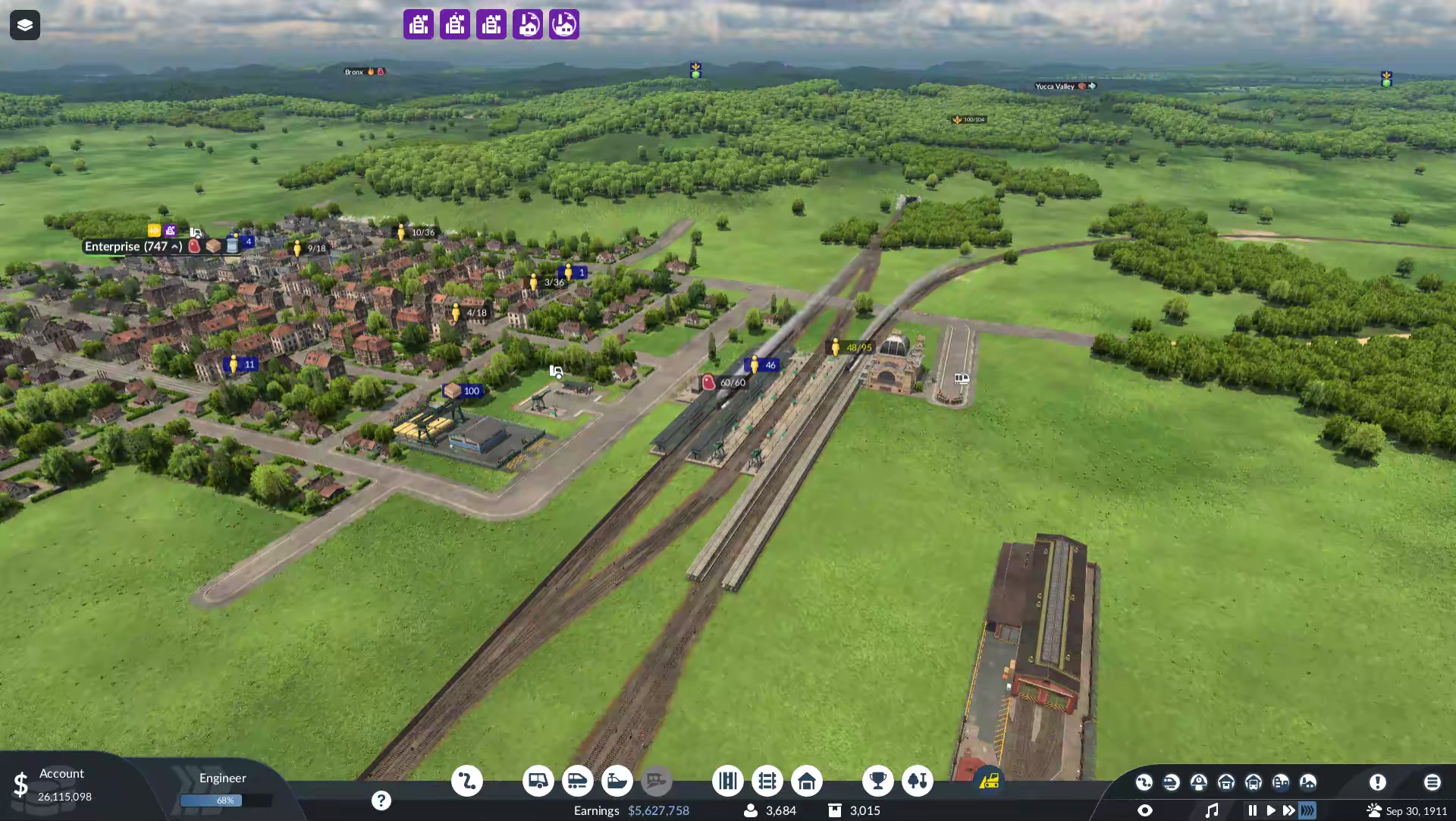
For meat, think in two stages: grain to the livestock farm, then meat to its destination. Separate lines can make those jobs easier to follow, but the farm clip shows my train unloading grain and then loading meat at the same stop.
Start with a connection you can inspect easily. Follow a vehicle through pickup and delivery before expanding the network or buying a larger fleet.
Get food from the train to the town
When my train leaves meat in a warehouse, that gets it to the transfer point. The shops still need a delivery. Town buildings cannot collect food from the warehouse themselves, so I run road vehicles or cargo trams for this last part of the route. Food reaches residents through the commercial buildings where they shop. 2, 5
I use a pickup stop that covers the warehouse and a destination stop that covers the commercial buildings requesting that food. A small roadside stop can handle cargo; a larger station needs a suitable cargo terminal. Enable the food in the pickup stop's loading settings and assign a vehicle that can carry it. 3, 4, 5
Why I usually use cargo trams
I usually go with cargo trams for this, especially in bigger cities. The trams I'm using carry more food per trip than my road vehicles, which is why I prefer them for these routes. Check the cargo type and capacity of the vehicles available, and make sure a tram route has compatible tracks. 6
Once the tram is loaded, I check the other end of the line. The town stop needs to reach the shops asking for that food. At a compatible consumer, unloading happens automatically. 4
The tram pickup and town delivery are separate recordings from September and October 1913 in-game. The Enterprise and Dinuba Supplies screenshots above show an earlier point in this save.
If the route is stuck
| What you see | What to check first |
|---|---|
| No food to collect | Producer output and required inputs. For meat, start with grain. |
| Vehicles leave empty | Cargo compatibility, pickup coverage and the line’s loading settings. |
| No food unloads at the town | The requested food type and the stop’s commercial district coverage. |
| Deliveries happen but the rating stays low | Cargo figures in Supplies. The overall rating also includes passenger supply. |
The manual describes unloading at compatible consumers as automatic. Check that the cargo reaches the district requesting it; a vehicle visiting a stop alone doesn’t prove a delivery happened. 4
For the wider story, read my Transport Fever 3 first impressions, including the food icon I missed and the other things I’m still figuring out.
Which food chain did you start with, and where did it get stuck? If this guide helped, please share it and leave a comment with your experience.
Sources
- 1. Industries and Cargo
- 2. Towns
- 3. Stations and Depots
- 4. Lines and Vehicles
- 5. Warehouses
- 6. Cargo trams and infrastructure
Official references checked October 28, 2026.